
Feature highlights
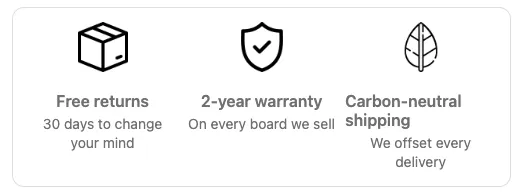
Feature highlights shows a set of perks or selling points, each with an image or icon, a heading, and a short description.
Available on the Free and Business plans. Needs Shopify Plus. Checkout only.
Settings
Section titled “Settings”| Setting | What it does |
|---|---|
| Layout type | Horizontal (default): items side by side in equal columns. Vertical: one row per item, image on the left. |
| Alignment | Vertical only. Left (default), Center, or Right. |
| Heading alignment, Text alignment | Horizontal only. Default Center. |
| Apply borders | Adds a border around the block. |
| Image size | In pixels. Default 50. |
Each feature has:
| Setting | What it does |
|---|---|
| Image | Pick one of the built-in icons, or None. |
| Custom image URL | Use your own image instead. Upload it in Shopify admin under Content → Files and paste the link. |
| Image link | Optional link opened when the image is clicked. |
| Image link opens in new tab | Appears once you add a link. |
| Heading | Short title, such as “Free returns”. Supports formatting, not variables. |
| Body text | A sentence or two. Supports links, formatting, and order variables. |
Click Add field to add a feature.
Things to know
Section titled “Things to know”- Three or four features fit well in the horizontal layout on desktop. On narrow screens, columns get tight; consider the vertical layout if your text is long.
- Text uses a subdued color unless you set Text appearance on the app block.