
Contact info
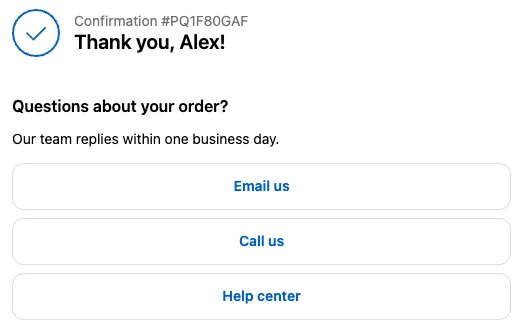
The Contact info block shows buttons that let customers reach you: a website link, an email address, or a phone number.
Available on the Free and Business plans. Needs Shopify Plus. Also works on the thank you and order status pages, where it’s handy for order questions.
Settings
Section titled “Settings”| Setting | What it does |
|---|---|
| Subheading | Optional heading, such as “Need help?”. |
| Body text | Optional text. Supports links, formatting, and order variables. |
| Contact info | One button per entry. Click Add field for more. |
Each button has:
| Setting | What it does |
|---|---|
| Field type | Website opens the link in a new tab. Email opens the customer’s email app. Phone starts a call on phones. |
| Label | The button text, such as “Email us”. Plain text. |
| Value | The URL, email address, or phone number. |
Button style
Section titled “Button style”The app block’s Call to action appearance setting in the Checkout Editor controls the buttons. The default is a secondary button; Plain shows them as links.
Things to know
Section titled “Things to know”- Use a full URL for websites, including
https://. - Write phone numbers with the country code, for example
+1 555 123 4567, so they dial correctly from any country.